

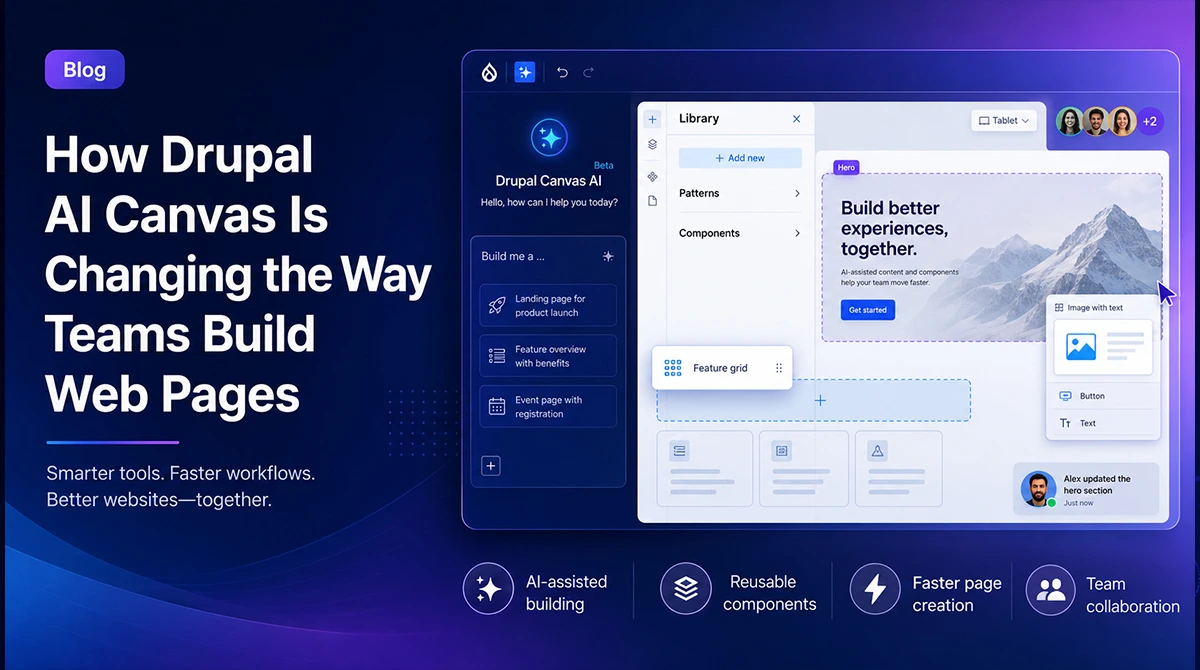
For most of Drupal’s history, building a web page came down to one of two paths. A content editor wrestled with a stack of admin forms, or a marketer turned a request into a ticket that became a sprint, then a deployment. Neither path was fast, and neither put the person with the idea in control of the outcome.
Drupal AI Canvas changes that arrangement. It lets someone describe the page they want in plain language and watch Drupal assemble it from the components the team already trusts. That one change ripples outward into who owns publishing, where developer hours actually go, and how quickly a campaign can move from a conversation to a live URL. Here is what Drupal AI Canvas is, what it changes in practice, and the questions worth asking before you hand page building over to a prompt.
What this article covers
- What Drupal AI Canvas actually is
- The bottleneck that made page building slow
- What changes when you build a page by prompt
- Why Drupal AI Canvas beats standalone AI website builders
- What this shift means for your team
- The governance question leaders should ask first
- Is your Drupal setup ready for AI-assisted building?
- Frequently asked questions
What Drupal AI Canvas actually is
Drupal AI Canvas is the AI mode inside Drupal Canvas, the visual page builder that became the default editing experience in Drupal CMS 2.0 when it launched on January 28, 2026. Instead of dragging every element into place by hand, you type a prompt, something like “a landing page for our fall webinar with a hero, three benefit cards, and a signup form,” and the AI drafts the page using your site’s existing components. From there, you edit visually, with a live preview, and publish through your normal workflow.
Two things separate this from a generic chatbot bolted onto a content management system. First, it builds with your components: the hero sections, cards, and calls to action your developers already defined, not arbitrary markup pulled from nowhere. Second, it lives within Drupal’s structured content model and permission system, so it produces a real, governed page rather than a throwaway mockup. It is worth noting that Canvas AI is still an evolving feature, so treat it as a capable assistant you supervise, not an autopilot.
The bottleneck that made page building slow
Ask any marketing leader where campaigns stall, and the answer is rarely the idea. It is the wait. A new landing page gets scoped, queued behind the product roadmap, built, reviewed, and shipped. By the time it goes live, the moment that justified it has often passed. The cost is not just a missed deadline. It is every test that never ran and every timely page that shipped a week late.
5% to 15% of marketing spend
the productivity gain McKinsey estimates generative AI can deliver in marketing, worth roughly $463 billion a year, much of it by collapsing the time between concept and published asset. McKinsey & Company
That delay was structural, not accidental. Drupal’s real strengths, structured content, granular permissions, and multi-site control, came with a learning curve that quietly pushed page creation toward developers. The more governance a platform enforces, the more expertise it tends to demand. Drupal AI Canvas is interesting precisely because it lowers that demand for routine pages without throwing the governance away.
What changes when you build a page by prompt

The workflow itself is simple to picture. You describe the page, the AI drafts it from your component library, you refine it on the canvas with live preview, and it moves into your existing review and publishing steps. Along the way, Canvas AI can also generate section layouts, draft SEO-friendly titles and metadata, and produce alt text for images. You can iterate by prompting again or by editing directly.
The meaningful change is not speed on its own. It is who can start. A marketer can now produce a credible first draft of a page without opening a ticket, and a developer reviews or extends it instead of building from a blank screen. The quality of the result still depends heavily on the raw material the AI has to work with, which is why a clean, well-structured design system and component set matters more, not less, once AI enters the picture. Good components in, good pages out.
Why Drupal AI Canvas beats standalone AI website builders

Standalone AI website builders are genuinely impressive at first contact. Describe a page, get something polished in seconds. The problem shows up later. That output usually has no shared content model, no governance, no reuse, and no connection to the system your organization actually runs on. You get a good-looking page that becomes a dead end the moment you need to maintain it, translate it, reuse a block, or keep it on brand across a hundred other pages.
77% explore it, only 44% benefit
Gartner found that while 77% of marketers are exploring generative AI, only 44% report significant benefits from it. The gap is rarely the model itself. It is the governance, reuse, and brand consistency around the model. Source: Gartner
This is where Drupal AI Canvas has a structural advantage. As an AI page builder built into the CMS rather than bolted on beside it, it is grounded in your components and sits on top of Drupal’s structured data and fine-grained access controls. Its output is on brand by construction, reusable across both headless and coupled channels, and governed by the same rules as everything else on your site. The difference is durability. A standalone tool gives you a fast page. A platform-native approach like AI-powered Drupal gives you a fast page that still fits your content operation six months from now.
Weighing AI page building for your Drupal roadmap?
Our Drupal team can help you evaluate Canvas AI against your real governance, brand, and content-model requirements, so you adopt it with a plan rather than a pilot that stalls.
→ Talk to a Drupal specialistWhat this shift means for your team
The instinct is to read this as a story about doing more with fewer people. It is closer to a redistribution of where skilled time goes. Content teams gain real autonomy over routine pages, landing pages, campaign microsites, and event pages, the work that used to clog the developer queue. Developers move up the stack. Their leverage shifts from hand-building layouts to defining the component library, the schemas, the guardrails, and the machine-readable context that the AI draws on.
That last point is the one leaders tend to underestimate. The teams that get the most out of Drupal AI Canvas are the ones that invest early in a disciplined component library and a clear, documented sense of how the brand should look and sound. Those assets become the leverage point that every AI-generated page inherits. If you are not sure your current build is set up for that, it is worth a conversation with a Drupal consulting partner before you scale publishing across the team.
The governance question leaders should ask first
Easier page creation cuts both ways. The same feature that lets a marketer publish in an afternoon also lets ten marketers create forty inconsistent pages, duplicate each other’s work, and quietly drift away from brand standards. Speed without structure produces sprawl. This is the honest tension in every no-code and AI publishing story, and it is the part the marketing materials tend to skip.
Good governance is what turns Drupal AI Canvas from a risk into an advantage. In practice that means a curated component library rather than an open-ended one, clear approval and publishing workflows, defined ownership for who can create and who can publish, and a well-articulated AI context that encodes your brand voice and design system. Drupal’s permission model supports all of this natively. The discipline, though, is organizational, not technical. A few practical realities also belong in the plan: Canvas AI is still an early feature, the AI capabilities require access to a model provider such as Anthropic or OpenAI and carry usage costs, and the quality of output tracks directly with how carefully you have defined your context. None of these are reasons to wait. They are reasons to adopt deliberately.
Is your Drupal setup ready for AI-assisted building?
The teams best positioned to use Drupal AI Canvas today are already on a modern, component-driven Drupal build. If you are running an older version, there is a prerequisite step, and the timing is not incidental. Drupal 10 reaches end of life on December 9, 2026, which means the upgrade conversation and the AI conversation are arriving together for a lot of organizations. Getting current on Drupal 11 is what makes AI-assisted building available in the first place.
A quick readiness gut check, before you invest: How mature is your component library, and are those components clean enough for an AI to compose reliably? Is your content model tidy or tangled? Have you documented how your brand should look and read in a form a machine can actually use? Do you have approval workflows and clear publishing ownership? And have you decided which AI provider fits your data and compliance posture? If those answers are shaky, that is the work to do first, and it is exactly the ground an experienced Drupal services partner can help you cover.
Ready to put AI-assisted page building to work in Drupal?
BinaryWorks builds and modernizes enterprise Drupal platforms, from Drupal 11 upgrades to Canvas-ready component libraries and governed AI workflows. Let’s map what it takes for your team.
→ Book a strategy callFrequently asked questions
What is Drupal AI Canvas?
Drupal AI Canvas is the AI mode within Drupal Canvas, the visual page builder that ships as the default editing experience in Drupal CMS 2.0. It lets you generate a web page from a text prompt using your site’s existing components, then refine and publish it inside Drupal’s normal content workflow.
Is Drupal AI Canvas free?
Drupal Canvas is part of Drupal CMS 2.0, which is open source and free to use. The AI features are optional and connect to a model provider such as Anthropic, OpenAI, or a bundled private AI option, so you should budget for the provider’s usage costs when you turn them on.
Do we still need developers if we use Drupal AI Canvas?
Yes. Canvas AI shifts developer work rather than removing it. Developers build and maintain the component library, define schemas and guardrails, set up the AI context, and handle integrations, while content teams take over routine page creation within those rules.
How is it different from Lovable and other AI website builders?
Standalone AI builders generate isolated pages with no shared content model or governance, which makes them hard to maintain and reuse. Drupal AI Canvas builds inside your CMS, so pages are on brand, reusable across channels, and governed by the same structured data and permissions as the rest of your site.
What version of Drupal do we need for AI Canvas?
You need Drupal CMS 2.0, which is built on Drupal Core 11.3. Organizations on older versions, including Drupal 10, will need to upgrade first, and Drupal 10’s end of life on December 9, 2026 makes that a timely priority.
BinaryWorks is a Drupal and headless CMS development company helping enterprise and mid-market teams build, modernize, and get more out of Drupal. Explore our Drupal services or book a strategy call.